Astute Beta Server Not Working? Fix Login, Install & Server Errors

If the Astute Beta Server is not working, first check where the problem starts. The APK may fail to install, get stuck while loading, show a login error, fail to connect to the server, or close after opening.
Each problem can have a different cause. Check the APK version, available storage, Android compatibility, internet connection, and server response before reinstalling the app.
Quick Answer: If Astute Beta Server is not working, first identify where the problem starts. Check the APK file, available storage, Android compatibility, internet connection, login response, and server access. Use the fix that matches the exact issue instead of reinstalling the app immediately.
Why Is Astute Beta Server Not Working?
Astute Beta Server can stop working at different stages. Installation problems usually involve the APK file, Android compatibility, storage, permissions, or an existing package. Login and connection errors appear after the app starts and can involve the network or server.
Use this table to identify your problem first.
| Problem | Possible Cause | Check First |
|---|---|---|
| App not installed | APK conflict, incomplete file, low storage | APK and available storage |
| App not opening | Temporary app or device issue | Restart the app and phone |
| Stuck on loading | Network, resources, storage | Connection and free space |
| Black screen | Cache, memory, loading problem | Restart and clear cache |
| Login failed | Network or server response | Change network |
| Server unavailable | Connection or server issue | Retry after some time |
| App crashing | Memory, cache, compatibility | Close background apps |
| Resources not downloading | Network or data restriction | Data permissions |
| Update not installing | Existing package conflict | Installed version |
The best fix depends on which of these problems you are seeing.
Check These Things First
Before changing Android settings, complete these basic checks.
1. Check the Astute Beta Server Version
Before troubleshooting, make sure you are using the current APK listed on AstuteBetaServers.net.
The main download page contains the latest version, file size, Android requirement, package details, verification hashes, and download link.
If the APK on your device is older or has different file information, compare it with the current details before changing Android settings.
You can check the latest version, file size, Android requirement, package details, verification hashes, and download information on the Download Astute Beta Server APK page.
2. Check Free Storage
Do not keep only enough free storage for the APK file itself. Android may need additional space for installation files, cache, temporary data, and game resources.
Android may need additional space for:
- installation files
- temporary files
- cache
- game resources
- future updates
Free up storage if your phone is nearly full, then try again.
3. Test Your Internet Connection
Open another website or online app to make sure the connection is working.
If possible, test:
- Wi-Fi
- Mobile data
A connection may work for normal browsing but become unstable during large game-resource downloads or server requests.
4. Restart Your Phone
Restarting the phone closes temporary processes and frees memory.
After the restart, open Astute Beta Server again before changing other settings.
5. Close Background Apps
Close other games, browsers, video apps, screen recorders, and downloads running in the background.
This can help when the app:
- freezes
- loads slowly
- crashes
- becomes unresponsive
How to Fix Astute Beta Server App Not Installed
If Android shows App Not Installed, check whether the APK downloaded completely, whether enough storage is available, whether your Android version is supported, and whether another version is already installed.
Also check that the browser or file manager you used has permission to install APK files.
For step-by-step fixes, see our Astute Beta Server App Not Installed guide.
Astute Beta Server APK Download Failed
If the APK download stops, restarts, never completes, or produces an incomplete file, fix the download problem before trying to install it.
Check your internet connection, available storage, browser download status, Data Saver settings, and whether multiple incomplete copies are stored on your phone.
For detailed download troubleshooting, use our Astute Beta Server Download Failed guide.
Astute Beta Server Not Opening or Stuck on Loading
If the APK installs successfully but does not open correctly, do not immediately reinstall it.
Try the following checks.
Force Stop the App
Go to:
Settings → Apps → Astute Beta Server → Force Stop
Then open the app again.
This can help if the app is stuck in the background.
Clear the App Cache
Go to:
Settings → Apps → Astute Beta Server → Storage → Clear Cache
Menu names can differ between Android phones.
Clearing cache removes temporary app files.
Do not confuse Clear Cache with Clear Storage or Clear Data. Clearing app data may remove locally stored information.
Restart the Device
If force-stopping and clearing the cache don’t help, restart the phone and test again.
Check Whether Resources Are Loading
The APK may need to download additional game resources after installation.
If the loading screen does not continue, check:
- free storage
- Wi-Fi
- mobile data
- Data Saver
- background data access
- VPN connection
If the app still will not open, stays on a black screen, or remains stuck while loading, follow our Astute Beta Server Not Opening or Stuck on Loading guide for more detailed startup fixes.
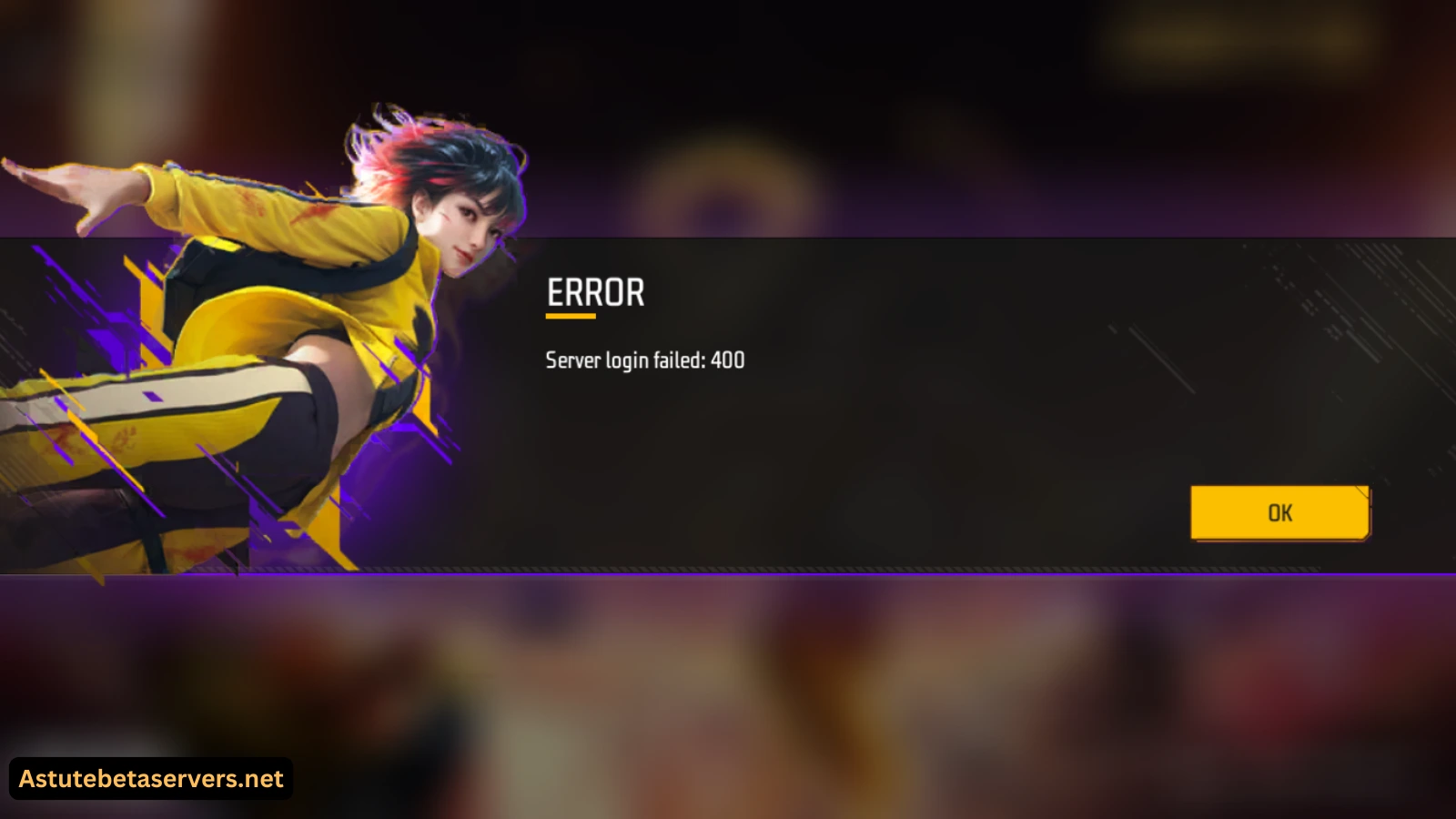
How to Fix Astute Beta Server Login Failed
If the app opens normally but fails during login, the installation itself has already completed.
Start by restarting the app, checking your internet connection, switching between Wi-Fi and mobile data, testing without a VPN or proxy, and confirming the selected region.
Astute Beta Server may also show specific server responses such as Error 400 or Error 500. These errors can involve different request or server conditions and should not automatically be treated as APK installation failures.
For detailed explanations and fixes, see our Astute Beta Server Login Failed 400 & 500 guide.
Fix Astute Beta Server Connection Problems
If the app opens but cannot connect to the game environment, first check whether the problem is with your connection.
Try:
- Open another website.
- Test another online app.
- Switch between Wi-Fi and mobile data.
- Temporarily disable your VPN.
- Restart your router if Wi-Fi is unstable.
- Close apps using large amounts of bandwidth.
- Restart Astute Beta Server.
- Try again later.
Do not assume that every connection error means the server is offline.
If the app opens but cannot connect to the server, keeps reconnecting, or shows a server unavailable message, follow our Astute Beta Server connection problem guide for Wi-Fi, mobile data, VPN, region, network permissions, and server-access checks.
When the Problem May Be Server-Side
A server-side problem becomes more likely when:
- the APK installs successfully
- the app opens normally
- your internet works in other apps
- switching networks does not help
- the same login or connection error keeps appearing
In this situation, changing Android settings or reinstalling the APK several times may not solve the problem.
Wait and try again later.
If the app displays a maintenance or server notice, check that information before making changes to your phone.
Astute Beta Server Resources Not Downloading
Some game files may download after the APK is installed.
If the download stops or never begins, check the app’s data access.
Go to:
Settings → Apps → Astute Beta Server → Mobile Data / Data Usage
Check whether the app can use:
- mobile data
- Wi-Fi
- background data
- unrestricted data, if required
Also check your available storage.
A resource download can require much more space than the original APK.
If the APK is already installed correctly, deleting and reinstalling it should not be the first response to a resource-download problem.
Astute Beta Server Keeps Crashing or Freezing
If the app starts but closes unexpectedly, freezes, or stops responding, try these steps:
- Restart your phone.
- Close unnecessary background apps.
- Check free storage.
- Clear the app cache.
- Check your Android version.
- Test another network.
- Open the app again.
If the app continues crashing, compare your phone with the current system requirements.
Older devices or phones with limited available memory may have more trouble running large game resources.
If the app keeps closing, freezing, or becoming unresponsive, see our Astute Beta Server crashing and freezing guide for storage, memory, cache, compatibility, and device checks.
Check for a Version or Package Conflict
Installing different APK builds can sometimes create a package conflict.
If Android reports an installation or package error:
- check which version is already installed
- avoid installing several different builds from unrelated sources
- save important local data where possible
- remove the previous installation only when necessary
- restart your phone
- install the current APK
Do not keep installing different APK files over each other without checking their version and source.
Should You Disable Google Play Protect?
We do not recommend disabling Google Play Protect as a normal fix.
Astute Beta Server is distributed outside Google Play, so Android security warnings should not simply be ignored.
Before changing any security setting, check:
- APK source
- version
- file size
- SHA-256 hash
- requested permissions
- package details
If Android or Play Protect shows a warning, review it carefully instead of immediately turning protection off.
Safety Checks Before Reinstalling
Before reinstalling Astute Beta Server, check the file again.
Confirm:
- current version
- file size
- APK filename
- SHA-256 hash
- Android requirement
- requested permissions
Also avoid unexpected websites or pages asking for:
- account passwords
- payment details
- recovery codes
- security codes
A login or server error should not require you to provide sensitive information to an unknown third-party page.
How We Check Astute Beta Server Releases
We check different parts of each release before updating AstuteBetaServers.net. Our checks can include APK details, installation, first-time setup, region selection, login behavior, gameplay access, Android compatibility, network behavior, and error screens.
We also record login, connection, startup, installation, and server errors when they appear. Results can vary by device, network, region, app state, APK release, and server conditions.
Frequently Asked Questions
Why is Astute Beta Server not working?
The problem can happen during installation, startup, login, resource loading, or server connection. Check the APK version, storage, Android compatibility, internet connection, and server response to identify where the failure starts.
Why does Astute Beta Server say App Not Installed?
Possible causes include an existing package conflict, incomplete APK, low storage, incompatible Android version, or missing APK installation permission.
Why is Astute Beta Server not opening?
Restart the app and phone, clear the app cache, close background apps, and check free storage. Also confirm that your device meets the requirements for the current APK.
Why is Astute Beta Server stuck on loading?
The app may be waiting for game resources, experiencing a network problem, or running low on storage or available memory.
How do I fix Astute Beta Server login failed?
Restart the app, check your internet, switch between Wi-Fi and mobile data, test without a VPN, and retry later. If the same error continues across working networks, it may involve the server.
What does Server Login Failed 400 mean?
It means the login request was not completed successfully. The message by itself does not confirm whether the exact cause is the network, request, app, or server.
What does Server Login Failed 500 mean?
A 500 response generally means the server encountered a problem while processing the request. Restart the app, test another working connection, and retry later before reinstalling the APK.
Should I reinstall Astute Beta Server when the server is unavailable?
Not immediately. If the APK installs and opens normally, test your internet and retry later first. Reinstallation makes more sense when the APK itself is incomplete, incompatible, or conflicting with another installed version.
Will clearing the cache remove Astute Beta Server?
No. Clearing cache removes temporary app files. Clearing app storage or data is different and may remove locally stored information.
Does Astute Beta Server need internet access?
Yes. Login, server access, game resources, and online gameplay require an internet connection.
Is Astute Beta Server the official Free Fire Advance Server?
No. Astute Beta Server is a third-party project and should not be confused with Garena’s official Free Fire Advance Server.
Conclusion
If Astute Beta Server isn’t working, identify where the problem starts before changing Android settings.
An installation error needs different checks from a login failure, loading problem, crash, or server connection error.
Start with the current APK, enough free storage, Android compatibility, and a stable connection. If the app installs and works until login or server access, test your connection and try again later before reinstalling the APK.