Astute Beta Server Login Failed 400 & 500: Causes and Fixes
If Astute Beta Server login failed after the app opened, the problem is happening during the login or server connection stage rather than the initial APK installation.
Two errors users may see are Server Login Failed 400 and Login Failed 500. These errors have different meanings, so identifying the message first can help you choose the right checks instead of repeatedly reinstalling the APK.
Quick Answer: If Astute Beta Server shows Error 400 or 500, restart the app, test another internet connection, check the selected region, clear the app cache, confirm you are using the current APK, and temporarily test without a VPN or proxy. If the APK installs and opens correctly but the error continues, retry later before reinstalling the app.
Why Does Astute Beta Server Login Fail?
Astute Beta Server needs an internet connection to send login requests and communicate with its server.
A login failure can happen because of:
- internet connection problems
- a temporary app session issue
- selected server region
- VPN or proxy routing
- cached app data
- an outdated APK
- an invalid login request
- temporary server problems
- server processing errors
The error code helps identify the type of problem, but it does not always reveal the exact cause.
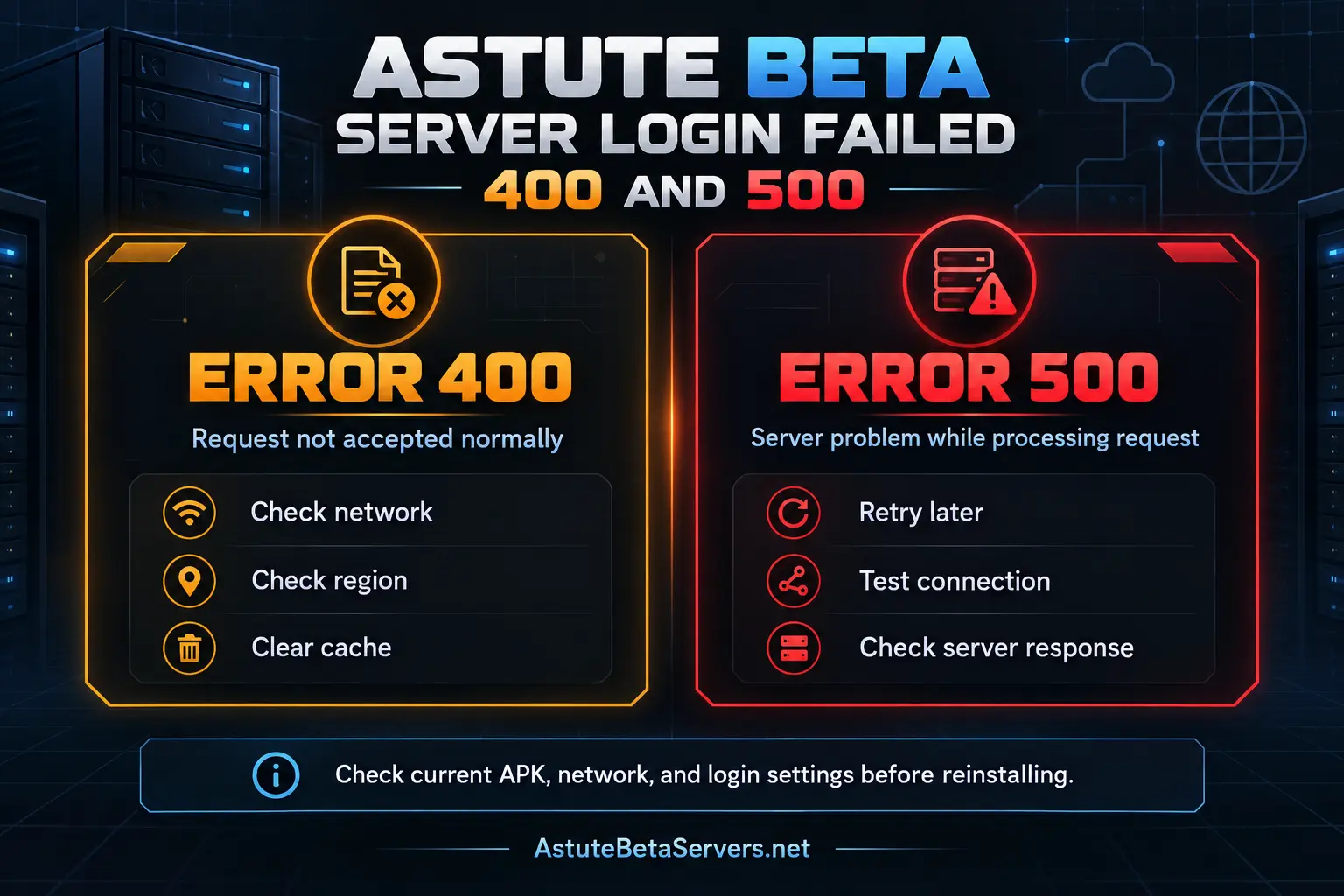
Astute Beta Server Error 400 vs Error 500
Error 400 and Error 500 should not be treated as the same problem.
| Error | General Meaning | Check First |
|---|---|---|
| 400 | The server did not accept the request normally | Network, session, region, cache, APK |
| 500 | The server had a problem processing the request | Connection, server condition, retry later |
| App Not Installed | Android could not complete installation | APK, storage, compatibility, package conflict |
If the app is already installed and reaches the login screen, you are dealing with a login or server problem rather than an App Not Installed error.
What Does Astute Beta Server Login Failed 400 Mean?
A 400 response generally means the server did not accept or process the request normally.
For Astute Beta Server, this does not prove exactly what caused the login failure.
Error 400 alone does not confirm that:
- your account is banned
- the APK is corrupted
- your phone is unsupported
- the server is completely offline
- reinstalling the APK will solve the problem
- one specific Android setting caused the error
The better approach is to check the login stage step by step.
How to Fix Astute Beta Server Error 400
Try these checks in order.
1. Restart the App
Close Astute Beta Server completely and remove it from your recent apps.
Open it again and make one fresh login attempt.
If the same Error 400 continues, move to the next check instead of restarting the app repeatedly.
2. Test Another Internet Connection
The app may open normally even when its server request fails.
Try:
- Wi-Fi
- mobile data
- another stable Wi-Fi connection, if available
If login works on one connection but not another, the original network may be affecting the request.
If the same error appears on several working connections, the problem is less likely to be caused by one local network.
3. Check the Selected Server Region
Astute Beta Server may provide region options during setup.
If region selection is available, confirm that you selected the region you intended to use.
Changing regions is not a guaranteed fix for Error 400. It is simply one useful check when troubleshooting where the login request is being sent.
Restart the app before testing again after changing the region.
4. Clear the App Cache
Temporary app files can sometimes affect normal app behavior.
Go to:
Settings → Apps → Astute Beta Server → Storage → Clear Cache
Then reopen the app and test login again.
Start with Clear Cache instead of Clear Data or Clear Storage.
Clearing app data may remove locally stored settings and setup information.
5. Check the Current APK
An older APK can sometimes install and open but behave differently when connecting to the server.
Compare your installed APK with the current information on the Astute Beta Server APK page.
Check the latest:
- version
- file size
- Android requirement
- package details
- verification hashes
- download information
If your APK does not match the current file information, verify it before doing more troubleshooting.
6. Test Without a VPN or Proxy
If you use a VPN, proxy, private DNS service, or another network-routing tool, temporarily test without it.
Try:
- Close Astute Beta Server.
- Disconnect the VPN or proxy.
- Use your normal internet connection.
- Open the app.
- Try login again.
This does not mean a VPN causes every login error. The test simply removes one network variable.
What Does Astute Beta Server Login Failed 500 Mean?
A 500 response generally means the server encountered a problem while processing the request.
This is different from Error 400.
With Error 500, changing random Android settings may not solve the issue because the problem may happen while the server is handling the request.
The error message alone does not reveal the exact internal cause.
How to Fix Astute Beta Server Error 500
Try these steps before reinstalling the APK.
1. Close and Reopen the App
Close Astute Beta Server completely and start a fresh session.
Try login once again.
A temporary problem may disappear after a fresh connection.
2. Check Your Internet
Open another website or online app and confirm that your internet connection is working normally.
Then try switching between:
- Wi-Fi
- mobile data
If both connections work but Astute Beta Server still returns Error 500, the problem may not be caused by your local internet connection.
3. Test Without VPN or Proxy
Temporarily disable any VPN, proxy, or network-routing service and try again.
This helps remove another possible connection variable.
4. Retry Later
If the app installs, opens, and reaches login correctly but Error 500 continues, waiting and trying again later can be more useful than repeatedly reinstalling the APK.
A server-processing problem may require a change outside your phone.
Diagnose the Login Problem First
Before changing Android settings, identify where the failure starts.
| What Happens | What It Suggests | Next Check |
|---|---|---|
| APK will not install | Installation problem | APK, storage and compatibility |
| App installs and opens | Installation completed | Continue to login checks |
| Error appears after login | Login or server-request issue | Error code, network and region |
| Login fails only on Wi-Fi | Network may be involved | Test mobile data |
| Login fails on different networks | Less likely to be one network | Check other factors and retry |
| App shows a server notice | Server access may be limited | Follow the displayed message |
| App crashes before login | Startup or runtime problem | General troubleshooting |
This helps avoid fixing the wrong problem.
When Should You Reinstall Astute Beta Server?
A login error does not automatically mean the APK should be reinstalled.
Consider reinstalling when:
- the APK download was incomplete
- the file information does not match
- your installed APK is outdated
- the installation appears damaged
- another installed version created a package conflict
- the app also has startup problems
If Android shows App Not Installed, use our Astute Beta Server App Not Installed guide instead.
That is a different problem from a login failure after the app has already opened.
When You Should Not Keep Reinstalling
Avoid repeated reinstalls when:
- the APK installs successfully
- the app opens normally
- only login fails
- reinstalling gives the same result
- switching networks makes no difference
Repeated downloads can waste time and data without changing the login or server response.
Focus on the stage where the problem actually occurs.
Does Error 400 Mean Your Account Is Banned?
No. Error 400 alone is not enough evidence to say that an account has been banned.
The error only tells you that the request was not accepted normally.
An account restriction should have a specific message or other clear evidence before it is treated as a ban.
Does Error 500 Mean Your Account Is Banned?
No. Error 500 by itself does not prove an account restriction.
It generally points to a problem while the server is processing a request.
Do not make major account changes based only on the error number.
Does Error 400 Mean the Server Is Down?
Not necessarily.
A 400 response means the server returned a response but did not accept the request normally.
This is different from receiving no response at all.
The error alone cannot confirm whether the entire Astute Beta Server service is unavailable.
Does Error 500 Mean the Server Is Down?
Not necessarily.
A 500 response means the server encountered a problem while handling the request.
That does not automatically mean every server or every user is offline.
Temporary server problems can also cause an error and disappear later.
Should You Try Another Account?
Do not create or switch accounts randomly just because a login error appears.
Use only login methods normally provided inside the app.
Never give an unexpected third-party website your:
- password
- recovery code
- security code
- payment details
- private account credentials
A login error does not require you to share sensitive information with another website.
What If You See an Unexpected Verification Page?
Check the page carefully before entering any information.
Look at:
- the website domain
- what information it requests
- whether it asks for payment
- whether it asks for a password
- whether it asks for recovery codes
- whether the page is related to the app you intended to use
Do not enter sensitive details simply because a page claims it can fix Error 400 or Error 500.
Login Error vs Installation Error
These problems happen at different stages.
Installation Error
The APK has not successfully installed as a usable Android app.
Examples include:
- App Not Installed
- package conflict
- APK cannot be opened
- installation blocked
Login Error
The app has already been installed and opened but cannot complete the login or server request.
Examples include:
- Server Login Failed 400
- Login Failed 500
- login request failure
- authentication connection failure
- server response after login
For loading problems, crashes, connection issues, or other errors, use our Astute Beta Server Not Working guide.
Astute Beta Server Login Error Checklist
Before making more changes, check each item once:
- current APK checked
- app opens normally
- internet connection works
- Wi-Fi tested
- mobile data tested
- VPN or proxy temporarily disabled
- selected region checked
- cache cleared
- app restarted
- login retried later
If the same error continues after these checks, avoid making random Android changes that are unrelated to the login stage.
How We Check Astute Beta Server Login Errors
We check different parts of the app when reviewing login problems, including:
- APK installation
- first-time setup
- server region selection
- login process
- network behavior
- server responses
- error screens
During testing, we captured a real Server Login Failed 400 message after the app had already been installed and opened. This helped separate the login error from an APK installation failure.
Login behavior can change based on the app, network, account, region, and server conditions. We do not assign Error 400 or Error 500 to one specific APK release unless there is clear evidence connecting the error to that release.
Frequently Asked Questions
What does Astute Beta Server Login Failed 400 mean?
Error 400 generally means the server did not accept the request normally. It does not reveal the exact cause by itself. Check your connection, app session, selected region, cache, and current APK.
What does Astute Beta Server Login Failed 500 mean?
Error 500 generally means the server encountered a problem while processing the request. Check your connection, restart the app, and retry later before reinstalling the APK.
Is Error 400 an installation error?
Not if Astute Beta Server has already been installed and opened successfully. In that case, the problem occurs during login or the server request.
Is Error 500 an installation error?
Not usually when the app has already installed and reached the login stage. The error appears while a server request is being processed.
Can changing Wi-Fi fix Astute Beta Server login errors?
It can help identify whether one connection is involved. Test both Wi-Fi and mobile data. If the same error appears on both, repeatedly changing network settings may not help.
Should I reinstall Astute Beta Server after Error 400 or 500?
Not immediately. If the app installs and opens normally, first check the internet connection, region, cache, current APK, VPN or proxy, and retry later.
Can a VPN cause an Astute Beta Server login problem?
A VPN changes your network route, so testing without it can remove one possible variable. This does not mean a VPN causes every login error.
Does Error 400 or 500 mean my account is banned?
No. Neither error code alone proves that an account has been banned. Look for a specific account restriction message before reaching that conclusion.
Should I clear app data?
Start with clearing the cache. Clearing app data can remove locally stored settings and should normally come after simpler troubleshooting steps.
Where can I fix other Astute Beta Server problems?
Use the Astute Beta Server Not Working guide for startup, loading, crashes, resource downloads, connection problems, and other issues outside the login stage.
Conclusion
If Astute Beta Server login failed with Error 400 or 500, first identify the response you received. Error 400 generally means the request was not accepted normally, while Error 500 generally means the server encountered a problem while processing the request.
Restart the app, test another connection, check your selected region, confirm that you have the current APK, clear the cache, and temporarily test without a VPN or proxy. If the app installs and opens correctly but the same login error continues, retry later instead of repeatedly reinstalling the APK.